AI Assistant
A page for asking AWS and Kubernetes operations questions in natural language and getting AI answers in a full-screen chat.
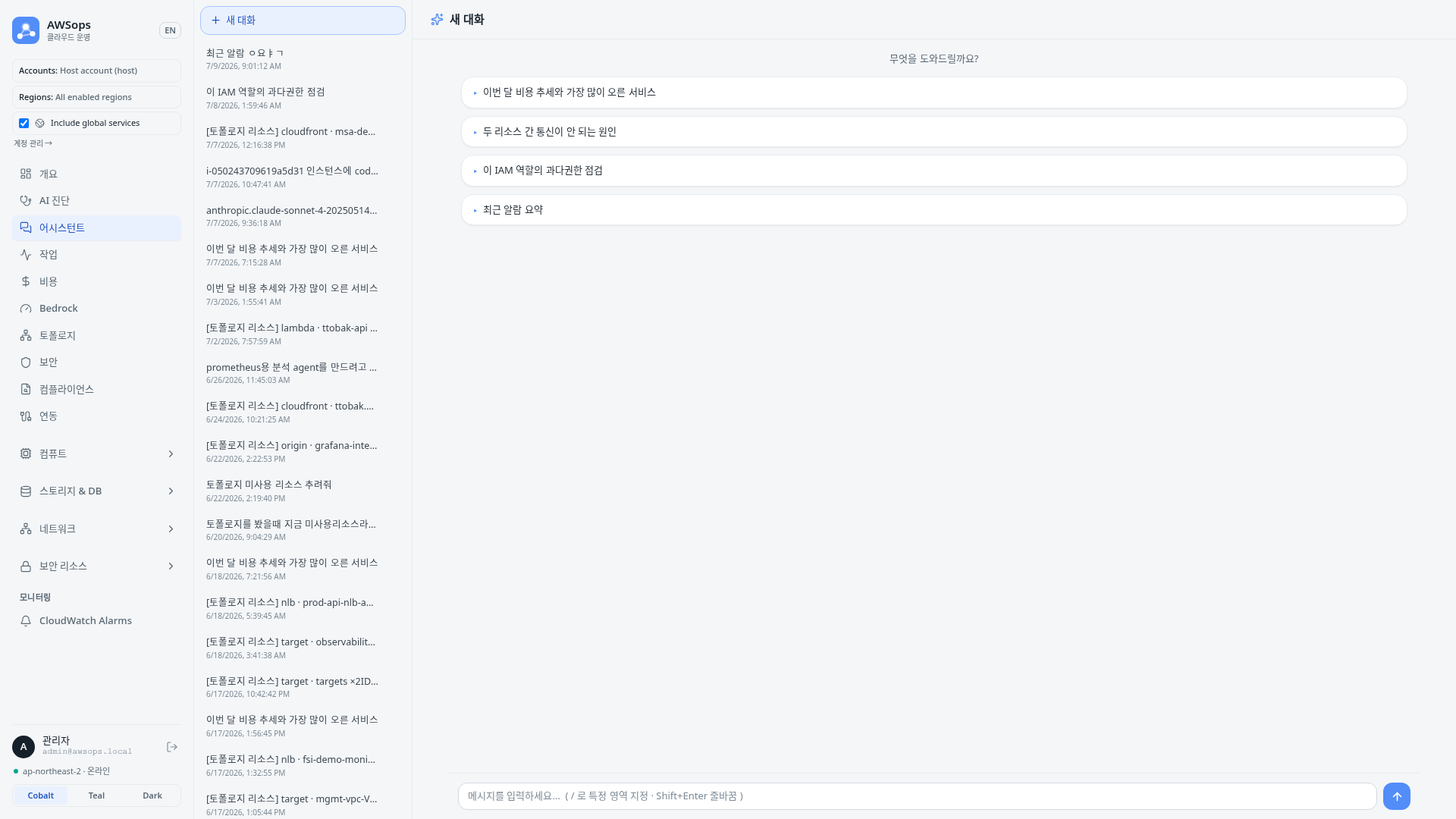
Features
Natural-language questions and streaming answers
- Ask in plain language and the answer streams token by token in real time.
- Answers render as markdown, so tables, code blocks, and lists display cleanly.
- AWS resources are read-only — the assistant observes and analyzes, and never mutates resources.
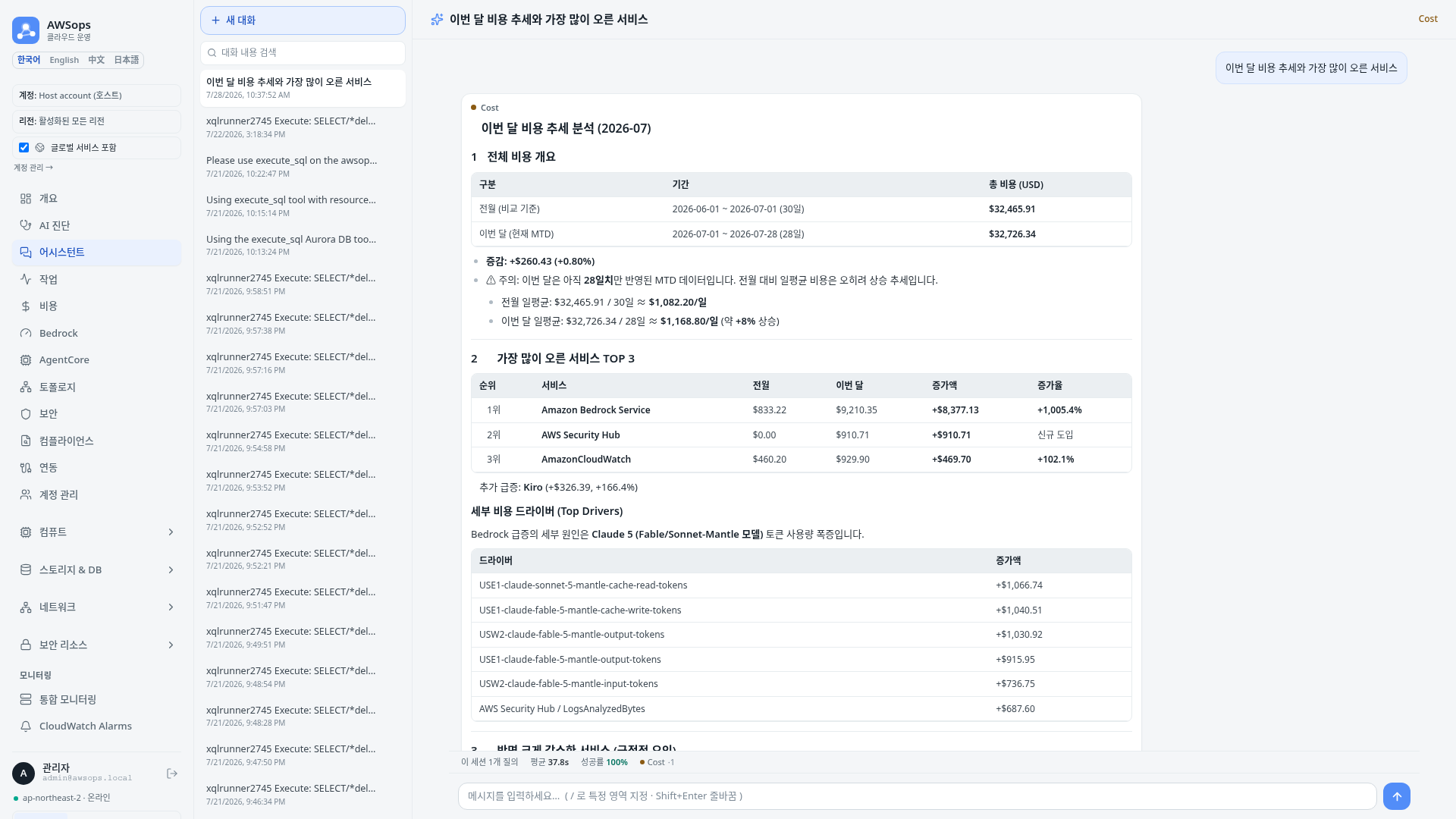
Automatic domain routing
- Each question is auto-routed to the most relevant domain (Network · Data · Security · Cost · Monitoring).
- A colored domain badge (e.g. 💰 Cost) on the answer shows which domain handled it.
- After an answer, up to two related-domain chips let you re-ask the same question in another domain.
Conversation list (left rail)
- The left rail lists your saved conversations, newest first.
- Click a conversation to reopen it; hover over an item to reveal its delete button.
- Use New conversation to start fresh.
- Conversations are saved automatically and share the same history as the floating chat drawer available on every page.
How to use
- Click Overview > AI Assistant in the sidebar, or open the floating chat button on any page.
- On the empty screen, click one of the suggested-question chips (e.g. this month's cost trend, why two resources can't talk, check IAM over-permissions, summarize recent alarms) or type your own.
- While the answer streams, watch the domain badge to see which domain is handling it.
- Click a related-domain chip below the answer to re-ask the same question in another domain.
- In the left rail, click a past conversation to reopen it, or choose New conversation to start a new topic.
Tips
:::tip Scope to a specific domain
Start a message with / to scope that single message to a specific domain (e.g. /network check connectivity between two subnets). Some domains may be marked coming soon.
:::
:::info Shared with the floating chat
Conversations on this page use the same history as the floating chat drawer. If a conversation link ends with ?thread=<id>, that specific conversation opens directly.
:::
:::info Timestamps Times shown in the app are in Korea Standard Time (KST, Asia/Seoul). :::
AI analysis prompts
- "Show this month's cost trend broken down by service"
- "Analyze why these two resources can't communicate"
- "Check for over-permissioned IAM access"
- "Summarize the alarms that fired recently"
Related pages
- AI Diagnosis - Generate in-depth diagnosis reports
- Datasource Explorer - Query external observability data in natural language