bedrock-knowledge-base
Knowledge Bases for Amazon Bedrock.
Create a Knowledge Bases for Bedrock instance
Refer to this document: Create a knowledge base
Model Configuration
There are two ways to configure the knowledge base:
Using Bedrock knowledge base integrated streaming, which requires configuring bedrockModelArn:
{
  "region": "<your-region>",
  "knowledgeBaseId": "<your-kb-id>",
  "bedrockModelArn": "arn:aws:bedrock:us-west-2:<account-id>:inference-profile/global.anthropic.claude-sonnet-5-5"
}
Or retrieving relevant text first, then using a model in BRConnector for summarization, which requires configuring the summaryModel parameter:
{
  "region": "<your-region>",
  "summaryModel": "claude-sonnet-5-5-chat",
  "knowledgeBaseId": "<your-kb-id>"
}
- knowledgeBaseId: the knowledge base id
- summaryModel: supports claude-sonnet-5-5-chat, claude-haiku-5-5-chat or claude-opus-5-5-chat models
- bedrockModelArn: the ARN of the foundation model or inference profile in the current region, used for integrated streaming
Billing
- With
bedrockModelArn, RetrieveAndGenerate reports no token usage, so the tokens are estimates at 4 characters a token: the input from the question and the text of every retrieved reference cited in the answer, the output from the answer. They are billed atprice_inandprice_outof this knowledge-base model, so set those to the prices of the model inbedrockModelArn. - With
summaryModel, the summary call is billed from the input and output tokens Converse reports, at the prices of this knowledge-base model, not the summary model’s.
API Calls
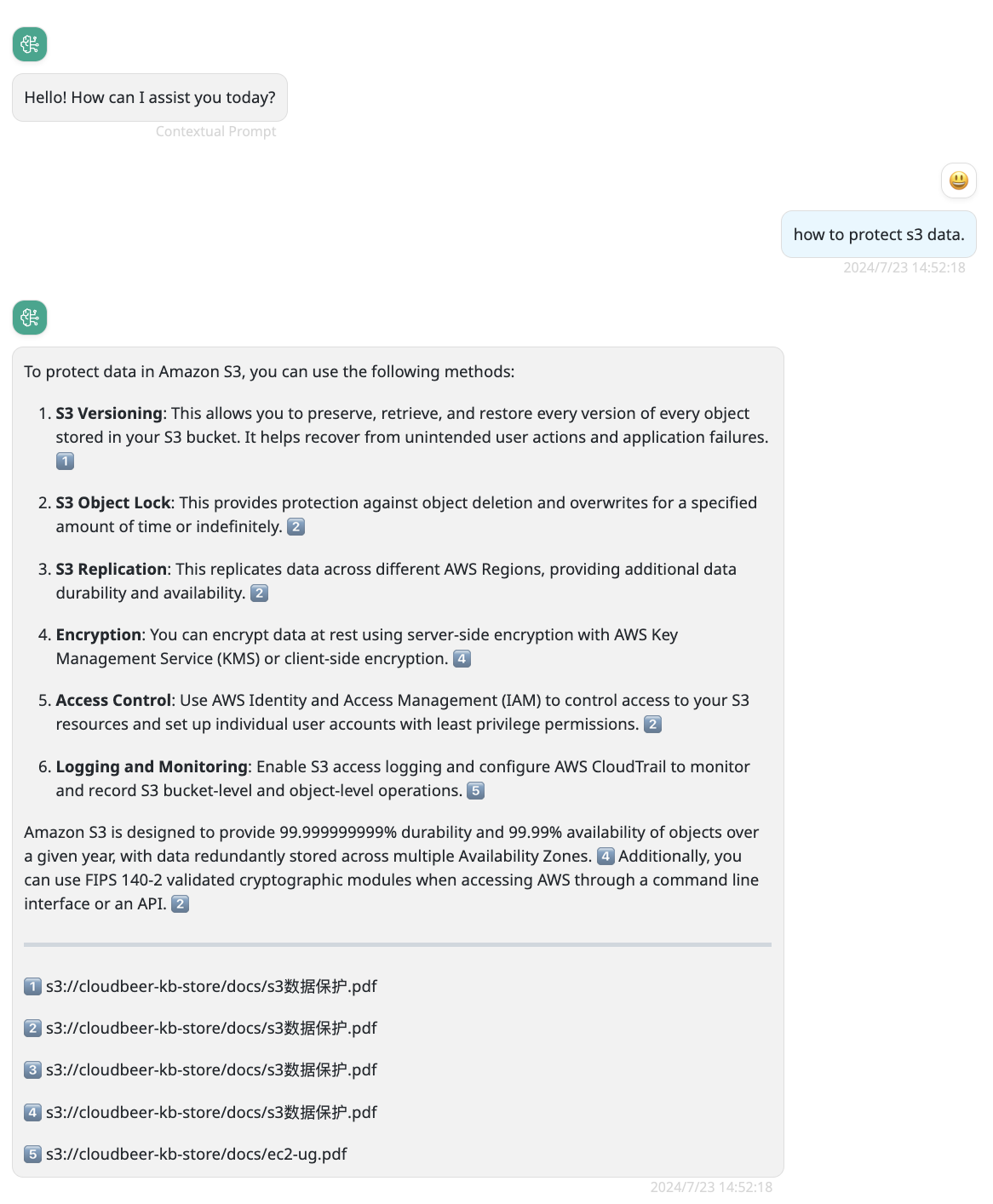
You can use normal API calls. In multi-turn conversations, the Bedrock connector will use the last message to interact with the knowledge base.
POST /v1/chat/completions
Content-Type: application/json
Authorization: Bearer br_xxxxxxxxxxxxxxxxxxxxxxxxxxxxxx

{
  "model": "your-custom-model-name",
  "messages": [
    {
      "role": "user",
      "content": "how to protect s3 data?"
    }
  ]
}
Use BRClient
You can interact with the knowledge base through the BRClient user interface: