Research Agent Use Case Deployment Guide
What is Research Agent
The Research Agent is an advanced research feature using AWS Bedrock AgentCore Runtime. It leverages web search and AWS documentation search to automate information gathering for technical research, business analysis, and problem-solving.
Key Features
- Web Search: Real-time web search using Brave Search API
- AWS Documentation Search: Information retrieval from official AWS documentation
- 3 Research Modes:
- Technical Research - Detailed technical analysis
- General Research - Business analysis
- Mini Research - Quick information retrieval
Obtaining Brave Search API Key
A Brave Search API key is required to use the Research Agent. By obtaining it through AWS Marketplace, it can be included in your AWS billing, simplifying internal billing processes.
API Key Acquisition Steps via AWS Marketplace
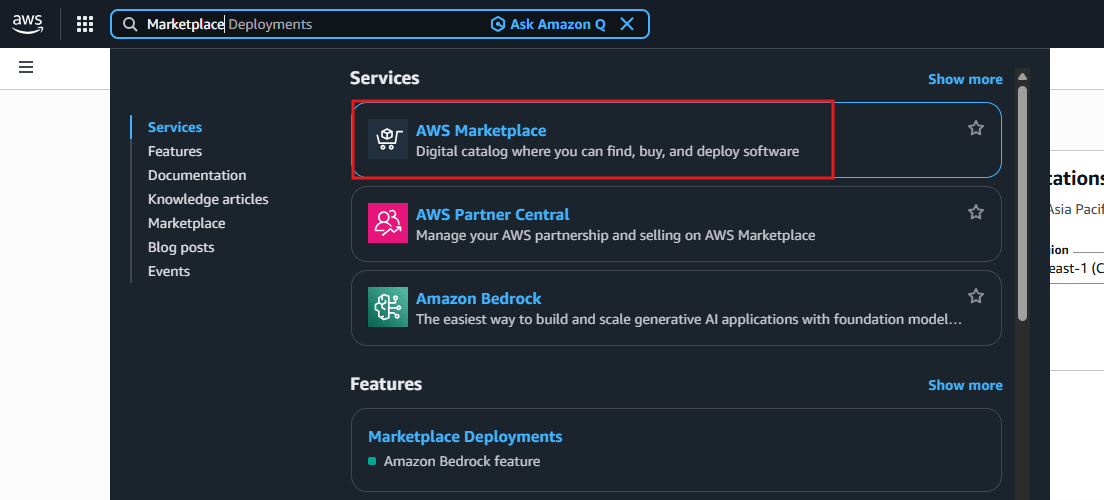
1. Open AWS Marketplace
Access AWS Marketplace.
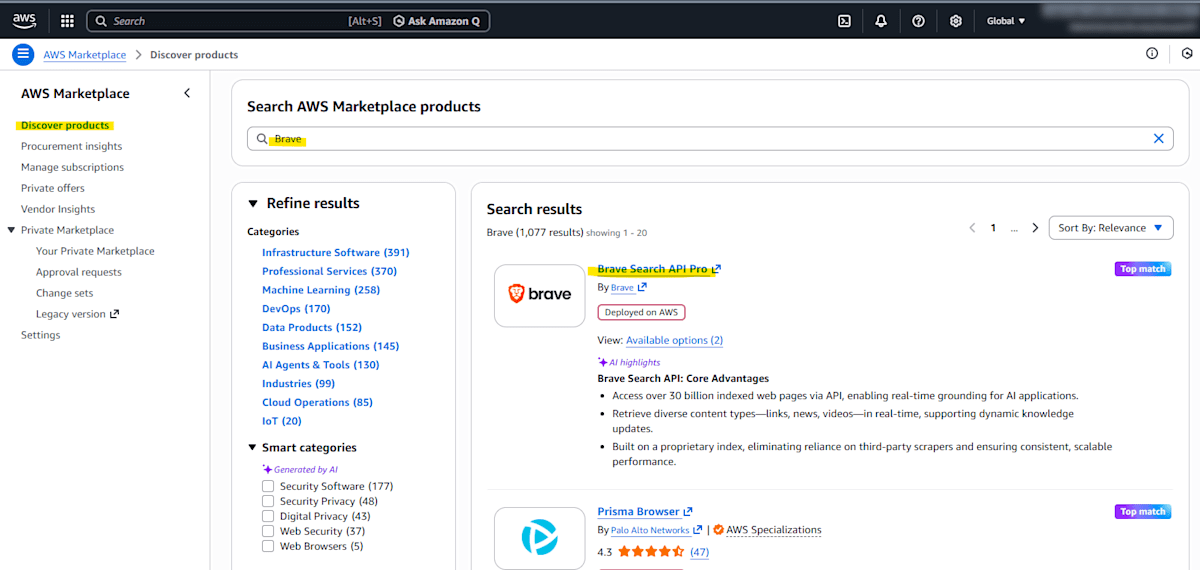
2. Search for Brave
Enter "Brave" in the search box and search.
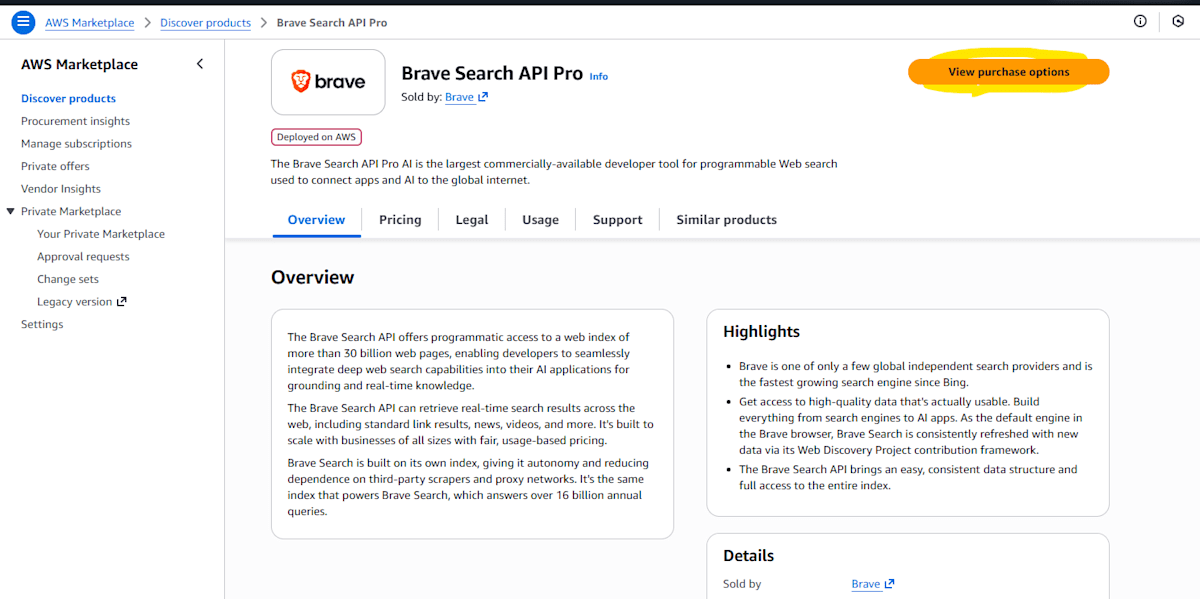
3. Select View purchase options
Click the "View purchase options" button on the Brave Search API product page.
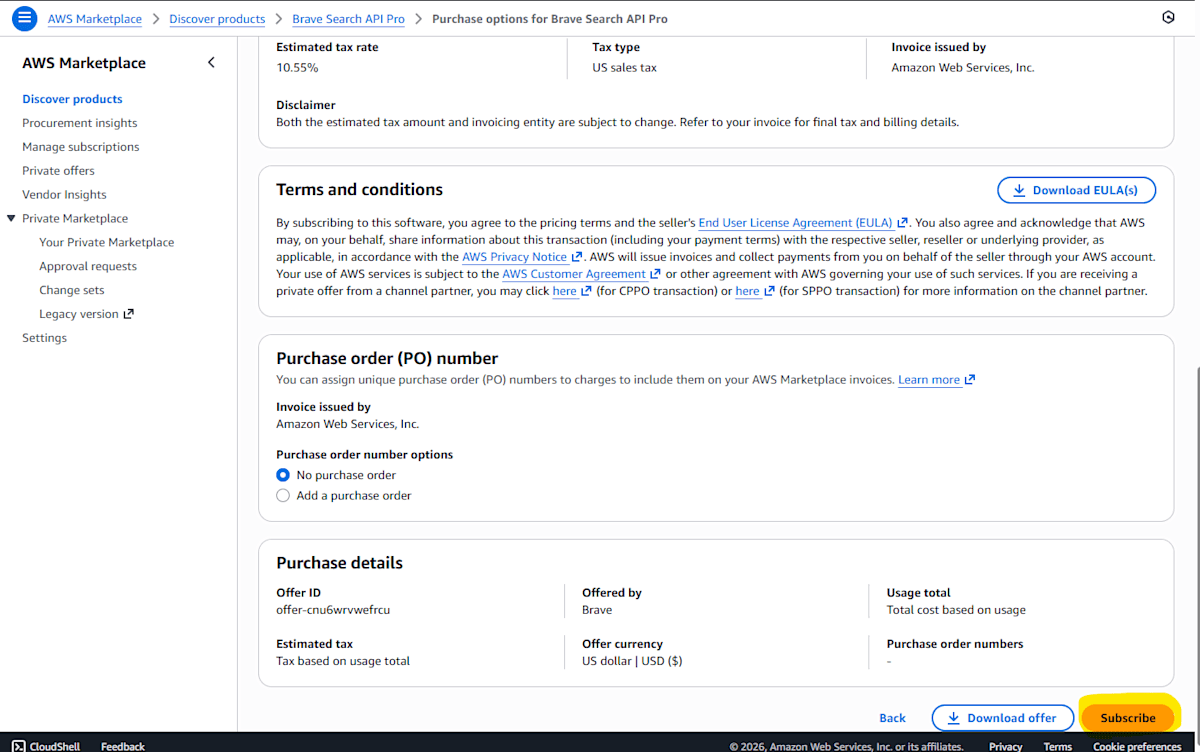
4. Execute Subscribe
Click the "Subscribe" button to start the subscription.
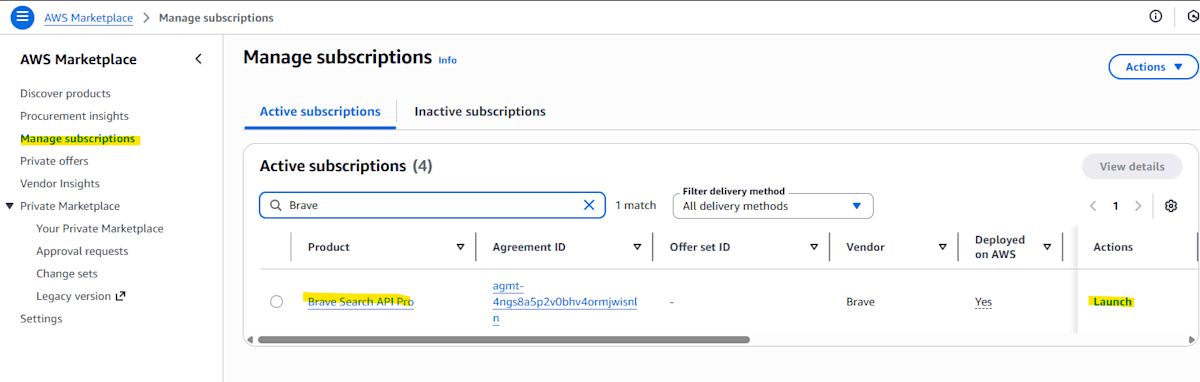
5. Launch from Manage Subscriptions
Navigate to the "Manage Subscriptions" page and click the "Launch" button in the Brave row.
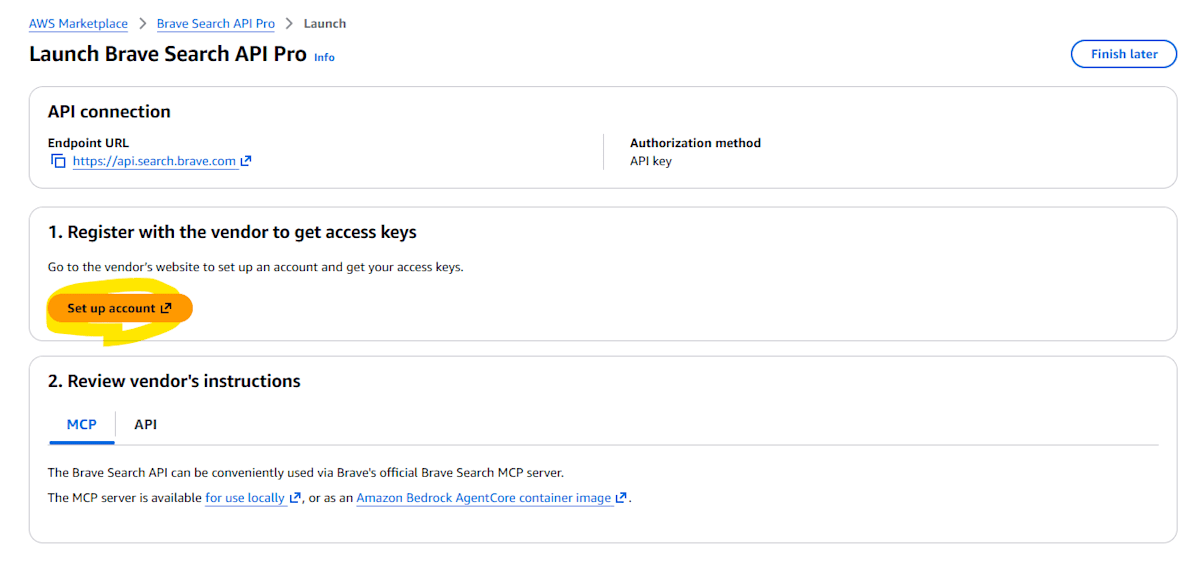
6. Setup Account
Click the "Setup Account" button.
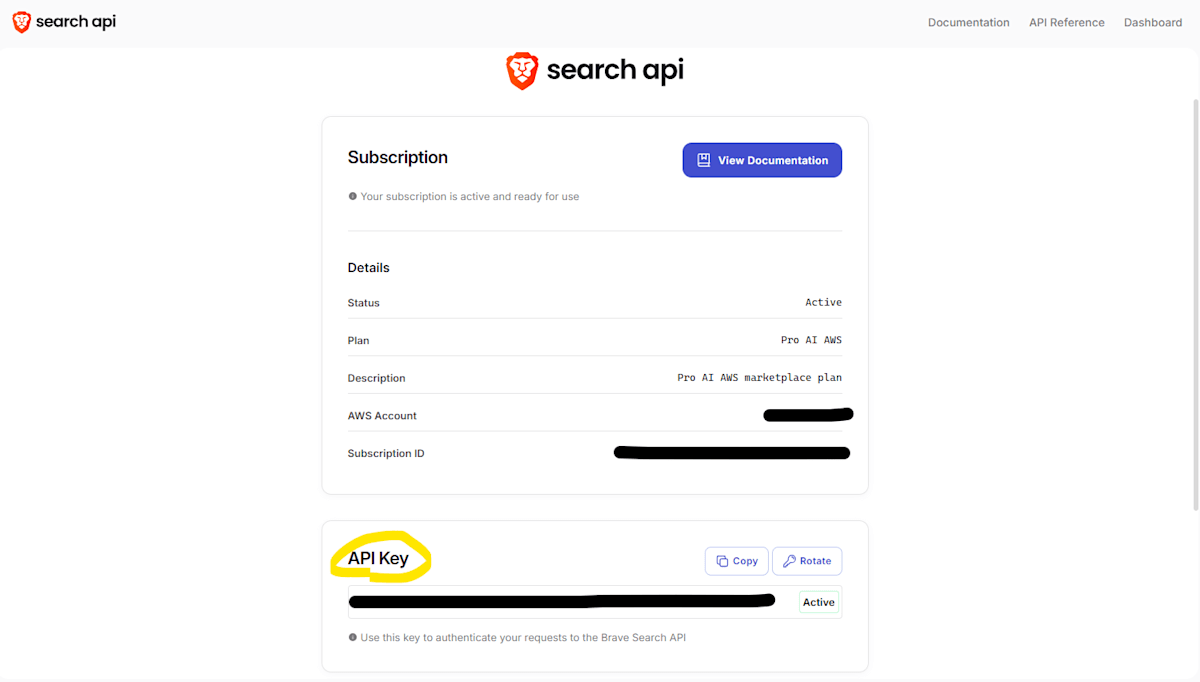
7. Obtain API Key
The Brave API key will be displayed. Copy this key and store it securely.
Important
The API key may only be displayed once. Be sure to save it in a secure location.
Deployment Configuration
Add the obtained API key to GenU's configuration file.
Using parameter.ts
Edit packages/cdk/parameter.ts:
// parameter.ts
const envs: Record<string, Partial<StackInput>> = {
  dev: {
    researchAgentEnabled: true,
    researchAgentBraveApiKey: 'YOUR_BRAVE_API_KEY', // Obtained API key
    researchAgentTavilyApiKey: '', // Optional
  },
};
Using cdk.json
Edit packages/cdk/cdk.json:
{
  "context": {
    "researchAgentEnabled": true,
    "researchAgentBraveApiKey": "YOUR_BRAVE_API_KEY",
    "researchAgentTavilyApiKey": ""
  }
}
Execute Deployment
After editing the configuration file, deploy with the following command:
npm run cdk:deploy
Deployment takes approximately 20 minutes. After deployment is complete, the "Research" use case will be displayed on GenU's top page.
For detailed configuration options, refer to Deploy Options.
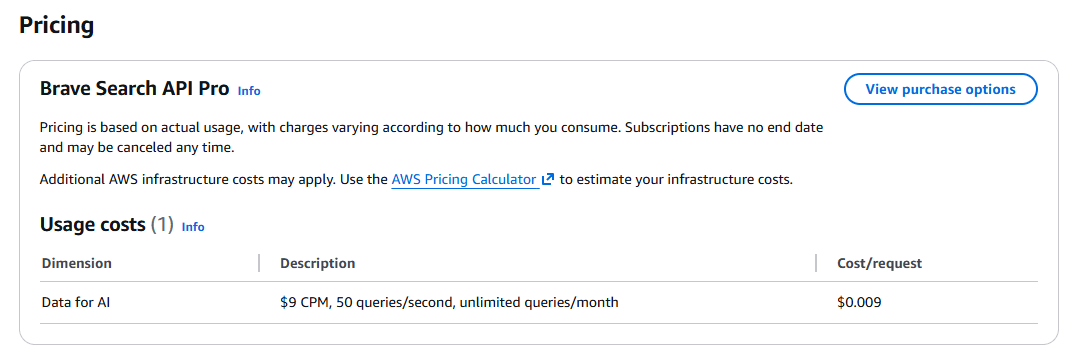
Brave Pricing
- 9 USD per 1000 web searches
- Limit of 50 search requests per second
- No monthly limit
For details, check the Brave page on Marketplace.
Reference Links
For detailed procedures and operation verification, refer to the following blog article: