Patterns & Architecture for Conversational Agents
Developers choosing a multi-agent topology for a chat workload, or looking for a production reference architecture. If you haven't built a prototype yet, start with the Quick Start first.
Reference architecture and recommended multi-agent patterns for chat workloads on AgentCore.
Reference Architecture
A production-ready conversational agent architecture on AgentCore.
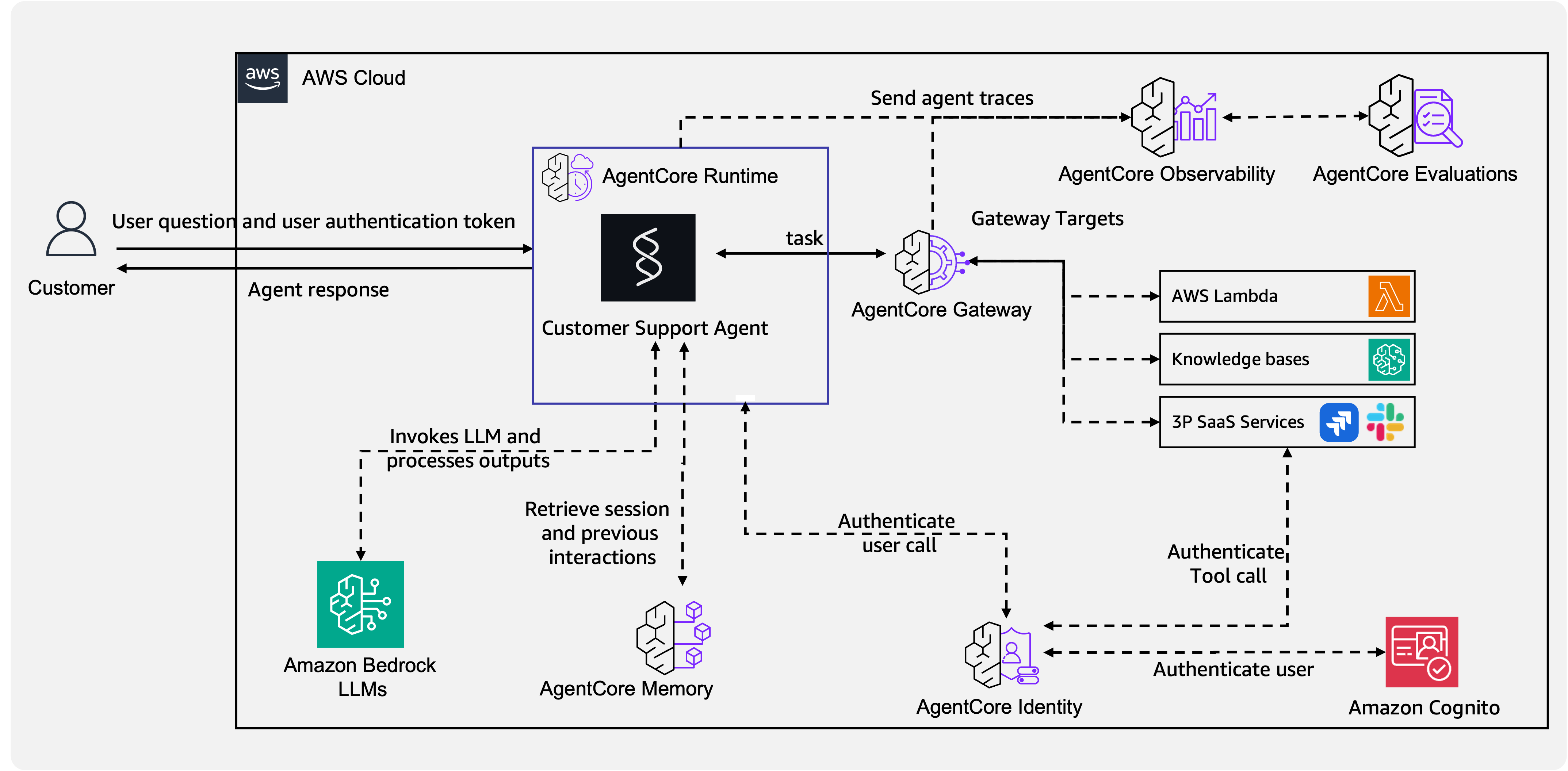
Requests enter through an identity-verified API Gateway or WebSocket connection and reach the AgentCore runtime. The agent exchanges conversation history with the memory layer, calls external tools through the MCP gateway, and all interactions pass through guardrails and are traced in observability.
Recommended Patterns
AgentCore supports a range of multi-agent patterns, most implemented with Strands multi-agent primitives. The ones below are the most common starting points for chat workloads.
| Pattern | When to Use | Example |
|---|---|---|
| Single Agent + Tools | Single domain, fewer than 10 tools, straightforward flows | BGL - NL-to-SQL |
| Agentic RAG + Tools | Knowledge-grounded Q&A with action capability | BGL - NL-to-SQL |
| Agents-as-Tools | Multi-domain support, complex routing | Thomson Reuters |
| Graph (Intent Router) | Structured flows with conditional branching | Iberdrola |
| Human-in-the-Loop | Regulated industries, high-stakes decisions | Thomson Reuters |
All AgentCore patterns work for conversational agents. For the full catalog including Swarm, Workflow, and A2A, see the Architectural Patterns Reference.
Pattern Selection Guide
Start with Single Agent + Tools when:
- Your domain is focused (one department, one system)
- You have fewer than 10 tools
- Conversations follow relatively predictable flows
Move to Agents-as-Tools when:
- You need multi-domain coverage (HR + IT + Finance from one chat)
- Different domains require different tool sets and system prompts
- You want to add domains without modifying the orchestrator
Use Graph / Intent Router when:
- Conversations have clear decision points with distinct branches
- You need guaranteed flow control (not just LLM-decided routing)
- Compliance requires auditable decision paths
Add Human-in-the-Loop when:
- Actions have real-world consequences (refunds, account changes, escalations)
- Regulatory requirements mandate human approval
- Confidence scoring indicates the agent is unsure