Quick Deploy Guide
Overview
Section titled “Overview”Deploy the entire IDP pipeline automatically by running a single script (deploy.sh) in AWS CloudShell. The script creates a CodeBuild project via CloudFormation, and CodeBuild deploys all 12 CDK stacks sequentially.
Run deploy.sh (CloudShell) → Create CloudFormation Stack → Provision CodeBuild Project → CDK Bootstrap → Deploy VPC Stack → Deploy remaining 11 stacks in parallel (concurrency=4) → Create Cognito admin userPrerequisites
Section titled “Prerequisites”Region Selection
Section titled “Region Selection”Deployment is recommended in the following regions:
| Region | Notes |
|---|---|
| us-east-1 (N. Virginia) | All models supported |
| us-west-2 (Oregon) | All models supported |
Deployment Steps
Section titled “Deployment Steps”Step 1. Open CloudShell
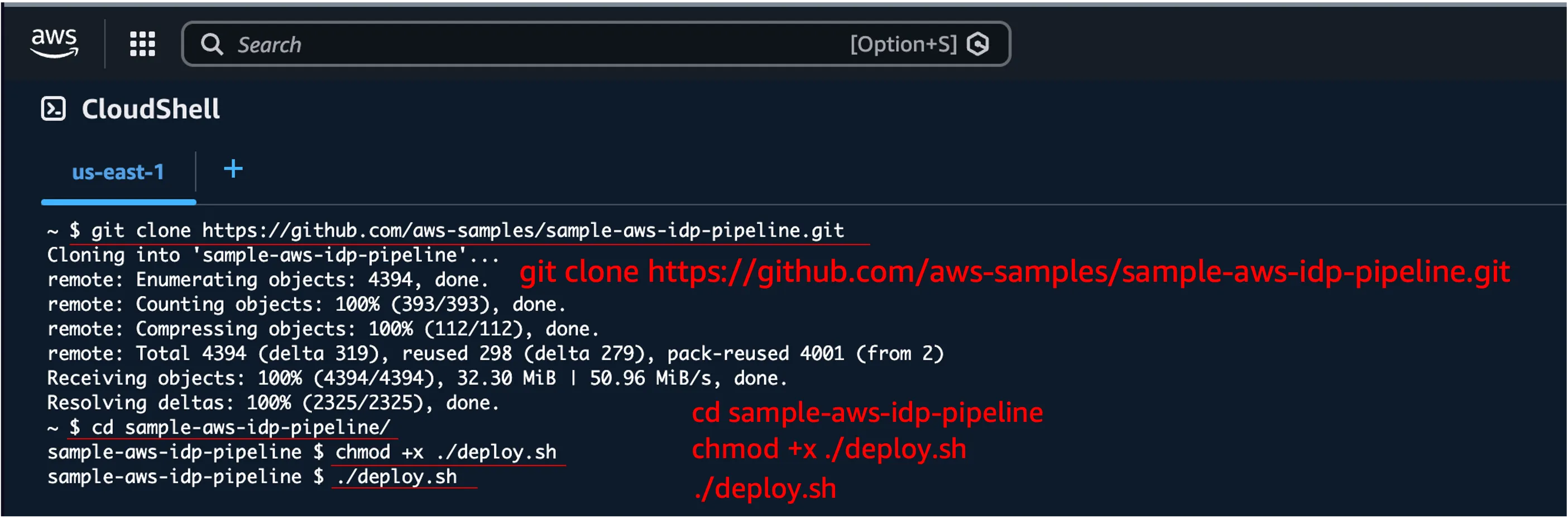
Section titled “Step 1. Open CloudShell”Click the CloudShell icon at the top of the AWS Console, or search for “CloudShell” in the search bar.
Step 2. Run the Deploy Script
Section titled “Step 2. Run the Deploy Script”git clone https://github.com/aws-samples/sample-aws-idp-pipeline.gitcd sample-aws-idp-pipelinechmod +x ./deploy.sh./deploy.shStep 3. Enter Admin Email
Section titled “Step 3. Enter Admin Email”When prompted, enter the email address for the admin account. A Cognito user will be created with this email.
===========================================================================  Sample AWS IDP Pipeline - Automated Deployment---------------------------------------------------------------------------  Deploys the full IDP pipeline via CodeBuild.
  Stacks: Vpc, Storage, Event, Bda, Ocr, Transcribe, Workflow,          Websocket, Worker, Mcp, Agent, Application===========================================================================
Enter admin user email address: your-email@example.com
Step 4. Confirm and Start Deployment
Section titled “Step 4. Confirm and Start Deployment”Review the configuration and enter y to start deployment.
Configuration:--------------Admin Email: your-email@example.comRepository:  https://github.com/aws-samples/sample-aws-idp-pipeline.gitVersion:     mainStack Name:  sample-aws-idp-pipeline-codebuild
Do you want to proceed with deployment? (y/N): y
The following steps will execute automatically:
- Download and validate CloudFormation template
- Create CodeBuild project (CloudFormation)
- Start CodeBuild build
- CDK Bootstrap (first time only)
- Deploy 12 stacks sequentially/in parallel
- Create Cognito admin user
Monitoring Deployment
Section titled “Monitoring Deployment”From CloudShell
Section titled “From CloudShell”The script displays CodeBuild build progress in real-time.
Starting CodeBuild: sample-aws-idp-pipeline-deploy ...Build ID: sample-aws-idp-pipeline-deploy:xxxxxxxx
You can monitor progress in the AWS Console:  CodeBuild > Build projects > sample-aws-idp-pipeline-deploy
Phase: BUILD
From CodeBuild Console
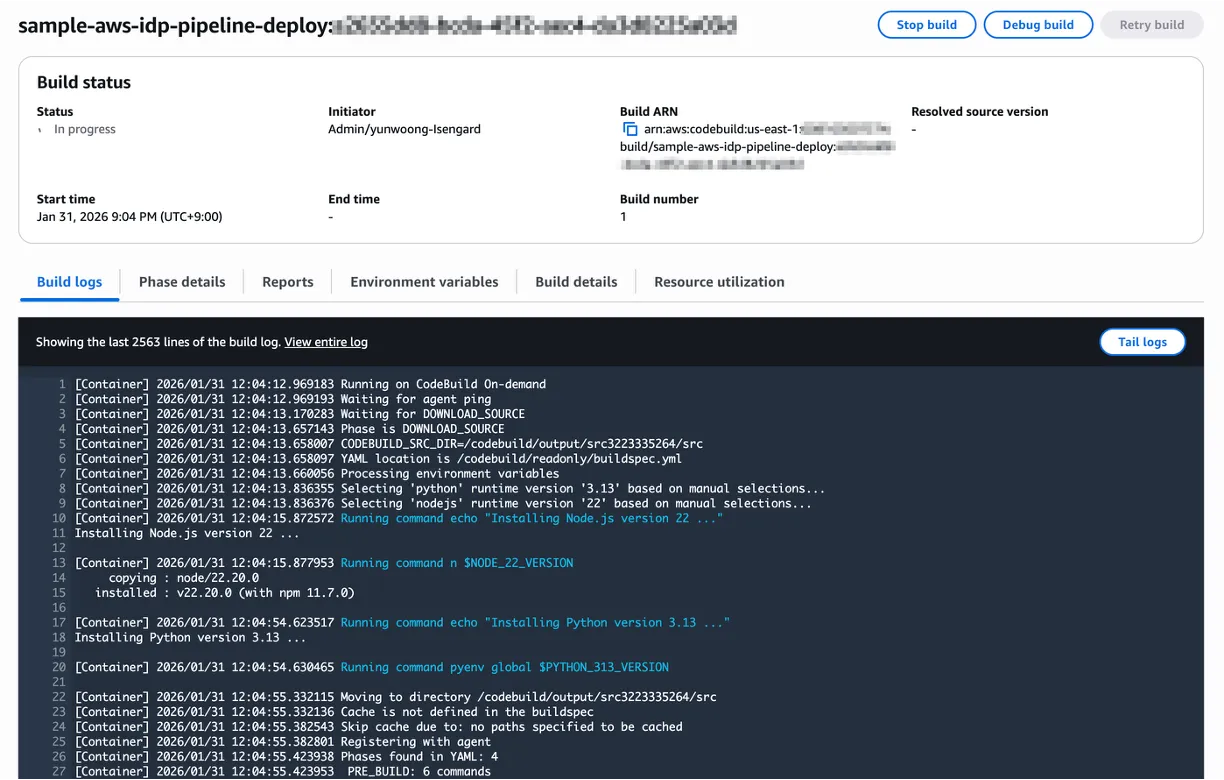
Section titled “From CodeBuild Console”For detailed logs, check the CodeBuild project directly in the AWS Console.
AWS Console > CodeBuild > Build projects > sample-aws-idp-pipeline-deploy
CodeBuild Build Phases
Section titled “CodeBuild Build Phases”| Phase | Description | Estimated Time |
|---|---|---|
| INSTALL | Node.js 22, Python 3.13, pnpm, CDK, Docker QEMU setup | 2-3 min |
| PRE_BUILD | Source clone, dependency install (pnpm install) | 3-5 min |
| BUILD | Lint, Compile, Test, Bundle + CDK deploy (12 stacks) | 30-50 min |
| POST_BUILD | Create Cognito admin user, output URLs | 1 min |
After Deployment
Section titled “After Deployment”When deployment completes successfully, the following information is displayed.
===========================================================================  Deployment Successful===========================================================================
  Application URL: https://dxxxxxxxxxx.cloudfront.net
  Login Credentials:     Email:              your-email@example.com     Temporary Password: TempPass123!
  Next Steps:     1. Access the application using the URL above     2. Log in with the credentials     3. Change your password when prompted
  To destroy all resources:     aws cloudformation delete-stack --stack-name sample-aws-idp-pipeline-codebuild
===========================================================================
Access and Login
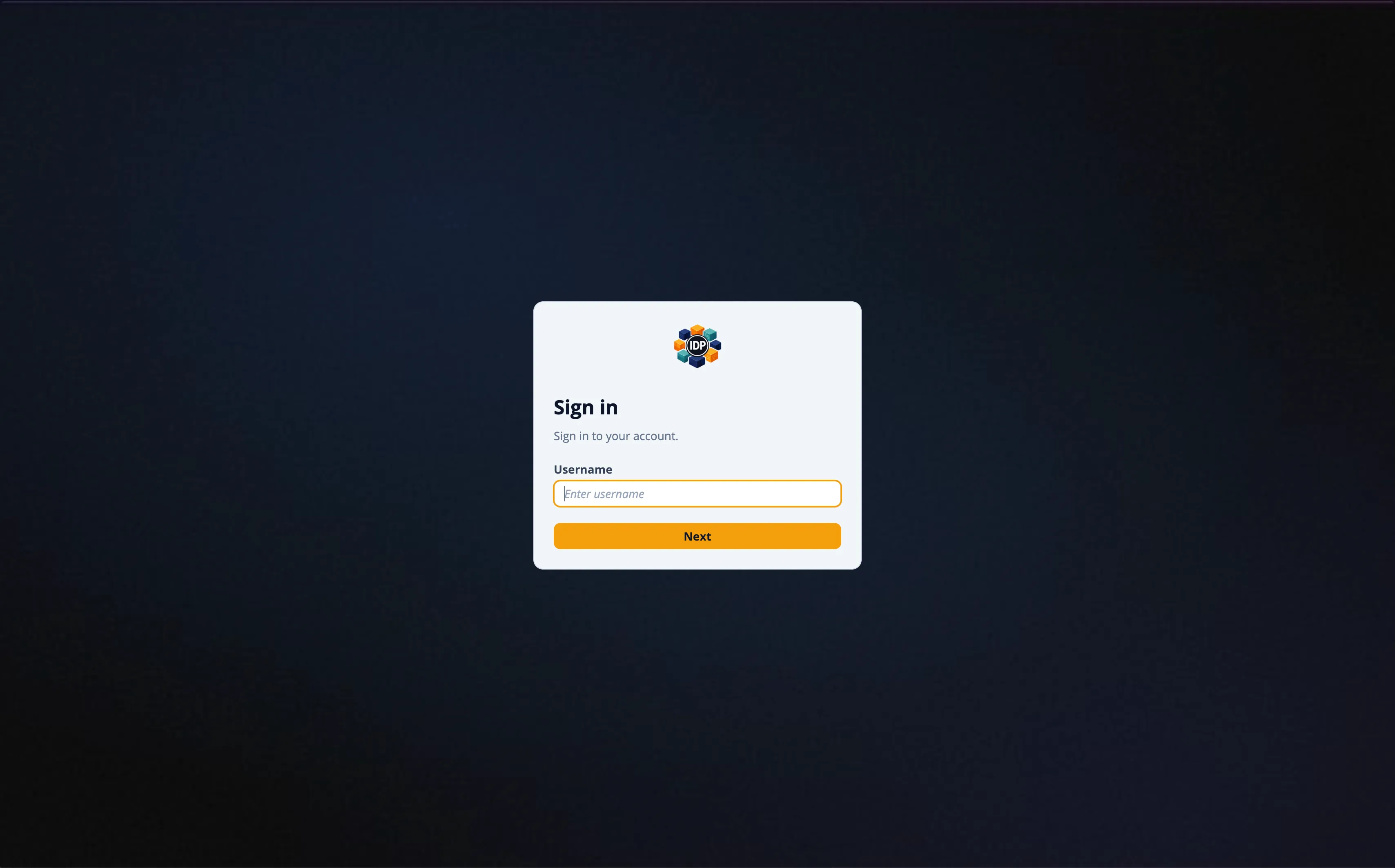
Section titled “Access and Login”- Navigate to the Application URL
- Your username is the portion before
@in your email (e.g.,your-email@example.com→your-email) - Log in with the temporary password
TempPass123! - You will be prompted to change your password on first login
Advanced Options
Section titled “Advanced Options”Command-line Options
Section titled “Command-line Options”./deploy.sh [OPTIONS]
Options: --admin-email EMAIL Admin email (skip interactive prompt) --repo-url URL Repository URL (default: github.com/aws-samples/...) --version VERSION Branch or tag to deploy (default: main) --stack-name NAME CloudFormation stack name (default: sample-aws-idp-pipeline-codebuild) --info Show deployed application URL --help Show help messageCheck Deployment URL
Section titled “Check Deployment URL”./deploy.sh --infoDeploy a Specific Version
Section titled “Deploy a Specific Version”./deploy.sh --admin-email user@example.com --version v1.0.0Cleanup
Section titled “Cleanup”Run destroy.sh
Section titled “Run destroy.sh”To delete all deployed resources, run the destroy.sh script. Similar to deployment, it uses CodeBuild to delete all 12 stacks in reverse order.
cd sample-aws-idp-pipelinechmod +x ./destroy.sh./destroy.sh=========================================================================== Sample AWS IDP Pipeline - Automated Destroy--------------------------------------------------------------------------- Destroys all IDP pipeline resources via CodeBuild.
Stacks: Application, Agent, Mcp, Worker, Websocket, Workflow, Transcribe, Bda, Ocr, Event, Storage, Vpc===========================================================================
WARNING: This will permanently delete all IDP pipeline resources.
Do you want to proceed with destroy? (y/N): yOnce the destroy completes, the destroy CodeBuild stack is automatically cleaned up.
If Deletion Fails
Section titled “If Deletion Fails”Some resources may fail to delete (e.g., S3 buckets with remaining data, ENIs still in use, etc.). In this case:
- Go to AWS Console > CloudFormation and check for stacks in
DELETE_FAILEDstatus - Review the Events tab of the failed stack to identify the cause
- Manually delete the problematic resources, then retry deleting the stack from CloudFormation
Troubleshooting
Section titled “Troubleshooting”CloudShell Session Timeout
Section titled “CloudShell Session Timeout”CloudShell sessions terminate after 20 minutes of inactivity. Once CodeBuild starts, the build continues even if the CloudShell session ends. Check progress in the CodeBuild Console.
CodeBuild Build Failure
Section titled “CodeBuild Build Failure”Check the build logs:
# View recent build logsaws logs tail /aws/codebuild/sample-aws-idp-pipeline-deploy --since 10mCommon Failure Causes
Section titled “Common Failure Causes”| Cause | Solution |
|---|---|
| Bedrock model access not enabled | Enable required models in Bedrock Console |
| Service quota exceeded | Request quota increase via AWS Support |
| CDK Bootstrap failed | aws cloudformation delete-stack --stack-name CDKToolkit then redeploy |
| VPC limit exceeded | Delete unused VPCs or request quota increase |
Deployment Architecture
Section titled “Deployment Architecture”CloudShell │ ├─ deploy.sh │ ├─ Download CloudFormation Template (deploy-codebuild.yml) │ ├─ Create CloudFormation Stack │ │ └─ CodeBuild Project (IAM Role: PowerUserAccess + IAM) │ └─ Start CodeBuild Build │ └─ CodeBuild (BUILD_GENERAL1_LARGE, amazonlinux 5.0) ├─ INSTALL: Node.js 22, Python 3.13, pnpm, CDK, Docker QEMU (ARM64) ├─ PRE_BUILD: git clone → pnpm install ├─ BUILD: lint + test + bundle → CDK deploy (12 stacks) └─ POST_BUILD: Cognito admin user creation