Amazon Quick Bootstrap - Terraform
This Terraform project sets up Amazon Quick. It ships in two layers:
- Modular blueprints (recommended) - pick a blueprint, fill a
.tfvars, and deploy. Each blueprint composes small reusable modules via feature flags, so you choose VPC vs non-VPC, IDC vs non-IDC, KMS, custom permissions, and more. - Legacy root module (preserved for backward compatibility) - the original
Lambda-based bootstrap at the project root (
main.tf,variables.tf,outputs.tf). Existing state keeps working; see Legacy root module.
Choose a blueprint
| Blueprint | IDC | VPC | KMS | Custom permissions | Use when |
|---|---|---|---|---|---|
minimal |
✗ | ✗ | ✗ | ✗ | Quick evaluation account, native QuickSight identity |
idc-centralized |
✓ | ✗ | ✓ | ✓ | Recommended centralized enterprise setup |
vpc-no-idc |
✗ | ✓ | ✓ | ✗ | Network-isolated Quick without Identity Center |
idc-vpc-governed |
✓ | ✓ | ✓ | ✓ | Full governance; every capability is a flag |
locked-down |
✓* | ✗ | ✓ | ✓ (deny-by-default) | Secure-by-default: readers view-only, authors cannot share, out of the box |
idc-vpc-governed is the superset: the other three are thin presets over it (or over the
modules directly), so turning its flags off reproduces the simpler topologies.
Deploy a blueprint
cd blueprints/idc-centralized
cp terraform.tfvars.example terraform.tfvars   # edit values
terraform init
terraform plan
terraform apply
Reusable modules
Under modules/, each is self-contained and independently composable:
| Module | Purpose | Key toggles |
|---|---|---|
quick-account |
Account subscription + namespace (native aws_quicksight_account_subscription) |
authentication_method (IDC vs IAM_AND_QUICKSIGHT), create_namespace |
identity-center |
Create or reference IDC groups | per-group create |
service-roles |
QuickSight service role (Athena/S3 data access) | attach_athena_access, s3_bucket_arns |
kms |
CMK + QuickSight key registration, IDC-aware key policy | multi_region, allow_identity_center |
vpc-access |
Type 1 PrivateLink endpoint + Type 2 QuickSight VPC connection | enable_privatelink, enable_vpc_connection |
custom-permissions |
Custom-permission profiles + role binding | use_cloudformation (fallback) |
account-governance |
Account settings, IP/VPC restrictions, IAM policy assignments | enable_account_settings, enable_ip_restriction |
Custom permissions: deny-by-default, presets, and raw control
The custom-permissions module models the full QuickSight capability surface (20
capabilities) with three ergonomic layers, so you rarely hand-list flags. Each profile
accepts:
deny_by_default = true- start from deny everything, then carve exceptions back withallow = [...](an allowlist). This is the secure-by-default inversion.preset = "<name>"- apply a ready-made posture. Built-in presets:reader_lockdown- deny all authoring, sharing, and dataset/data-source creationno_data_exfiltration- deny every export path (csv/excel/pdf), print, and data sharingauthor_no_share- can build, cannot share externallystrict_pro- pro role with sharing and export deniedcapabilities = { export_to_csv = "DENY" }- raw escape hatch for individual flags.
Precedence (most specific wins): capabilities > allow > preset > deny_by_default
base. Example:
custom_permission_profiles = {
  LockedReader = { deny_by_default = true, allow = ["export_to_pdf"] } # view + PDF only
  NoExfil      = { preset = "no_data_exfiltration" }
}
custom_permission_role_assignments = {
  READER = "LockedReader"
  AUTHOR = "NoExfil"
}
Semantics: QuickSight expresses a capability as DENY or unset (unset = account default =
permitted). "allow" means "leave unset" (not denied); it does not grant beyond the
account default. The locked-down blueprint ships this hardened out of the box.
Account governance: settings, IP restrictions, IAM policy assignments
The account-governance module adds account-wide admin controls, each behind its own
toggle, wired into the idc-vpc-governed superset:
- Account settings (
enable_account_settings) - set thedefault_namespaceandtermination_protection_enabledso the Amazon Quick subscription cannot be deleted accidentally. - IP / VPC restrictions (
enable_ip_restriction) - gate console and API access to an allowlist. Supply any ofip_restriction_rule_map(CIDR => description),vpc_id_restriction_rule_map, orvpc_endpoint_id_restriction_rule_map. Theip_restriction_enabledflag enforces (or just stages) the rules. - IAM policy assignments (
iam_policy_assignments) - bind an IAM managed policy to QuickSight users/groups within a namespace, withstatusENABLED/DISABLED/DRAFT.
enable_account_settings        = true
termination_protection_enabled = true

enable_ip_restriction  = true
ip_restriction_enabled = true
ip_restriction_rule_map = { "203.0.113.0/24" = "Corp egress NAT" }

iam_policy_assignments = {
  AnalystBaseline = {
    policy_arn = "arn:aws:iam::aws:policy/AWSQuicksightAthenaAccess"
    groups     = ["QUICK_ADMIN"]
  }
}
Terraform-native, with CloudFormation fallback
Capabilities use first-class AWS provider resources where available
(aws_quicksight_account_subscription, aws_quicksight_namespace,
aws_quicksight_custom_permissions, aws_quicksight_role_custom_permission,
aws_quicksight_vpc_connection, aws_quicksight_key_registration, aws_vpc_endpoint,
aws_kms_key, aws_identitystore_group, aws_quicksight_account_settings,
aws_quicksight_ip_restriction, aws_quicksight_iam_policy_assignment). Where a resource is not yet in the provider,
the module falls back to a CloudFormation stack (e.g. custom-permissions with
use_cloudformation = true uses AWS::QuickSight::CustomPermissions).
Legacy features
- Creates or uses existing IAM Identity Center instance
- Sets up Quick Sight account subscription
- Creates admin group in Identity Center
- Configures necessary IAM roles and policies
- Deploys Lambda function for automated setup
Legacy root module
The commands below deploy the original Lambda-based bootstrap from the project root. It is preserved for backward compatibility; new deployments should prefer a blueprint.
Prerequisites
- AWS CLI configured with appropriate credentials
- Terraform >= 1.0.0
- Python 3.12 (for Lambda function)
- pip (for installing Lambda dependencies)
Quick Start
- Clone and navigate to the module:
cd terraform/quick-suite-bootstrap
- Create your variables file:
cp terraform.tfvars.example terraform.tfvars
- Edit
terraform.tfvarswith your values:
aws_region                   = "us-east-1"
quick_suite_account_name     = "MyQuickSuite"
quick_suite_admin_email      = "admin@mycompany.com"
quick_suite_admin_group_name = "QuickSuiteAdmins"
- Initialize Terraform:
terraform init
- Review the plan:
terraform plan
- Apply the configuration:
terraform apply
Variables
| Name | Description | Type | Default | Required |
|---|---|---|---|---|
aws_region |
AWS region to deploy resources | string |
"us-east-1" |
No |
identity_center_instance_arn |
ARN of existing IAM Identity Center instance | string |
"" |
No |
quick_suite_account_name |
Name for the Quick account | string |
"QuickSuiteBootstrap" |
No |
quick_suite_admin_email |
Email address for the Quick admin | string |
"admin@example.com" |
No |
quick_suite_admin_group_name |
Name of the admin group in Identity Center | string |
"QUICK_SUITE_ADMIN" |
No |
force_update |
Set to true to force re-run of setup | bool |
false |
No |
tags |
Additional tags to apply to resources | map(string) |
{} |
No |
Outputs
| Name | Description |
|---|---|
identity_center_instance_arn |
ARN of the IAM Identity Center instance |
identity_store_id |
ID of the Identity Store |
lambda_function_arn |
ARN of the Quick setup Lambda function |
lambda_function_name |
Name of the Lambda function |
lambda_execution_role_arn |
ARN of the Lambda execution role |
quick_suite_account_name |
Name of the Quick account |
quick_suite_admin_email |
Admin email for Quick |
quick_suite_admin_group_name |
Admin group name in Identity Center |
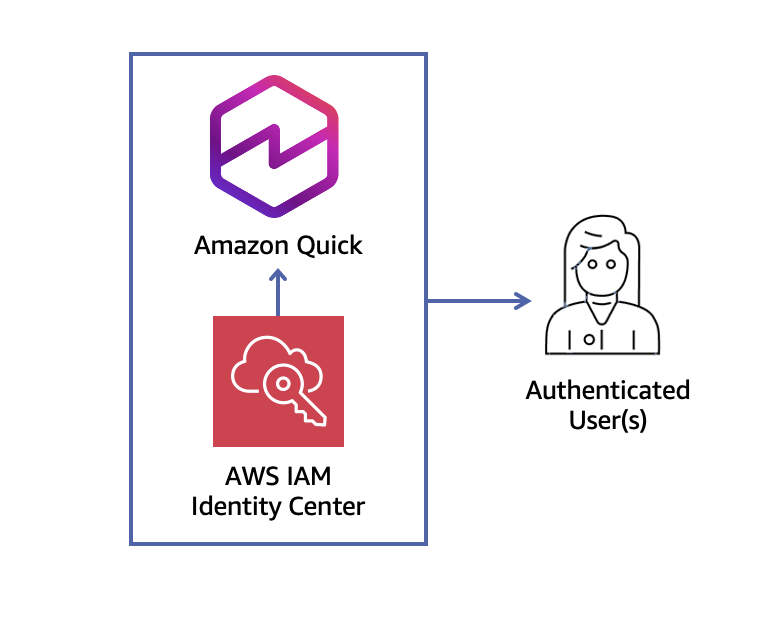
Architecture
Using with Existing Identity Center
If you already have an IAM Identity Center instance, provide its ARN:
identity_center_instance_arn = "arn:aws:sso:::instance/ssoins-1234567890abcdef"
Force Re-run Setup
To force the Lambda to re-run the setup (e.g., after configuration changes):
terraform apply -var="force_update=true"
Cleanup
To destroy all resources:
terraform destroy
Note: This will attempt to delete the Quick Sight subscription and related resources.
Troubleshooting
Lambda Build Fails
Ensure Python 3.12 and pip are installed:
python3 --version
pip3 --version
Permission Errors
The Lambda function requires extensive permissions. Ensure your AWS credentials have sufficient privileges to create IAM roles and policies.
Identity Center Issues
If using an existing Identity Center, ensure the ARN is correct and your credentials have access to it.
License
This project is licensed under the MIT-0 (MIT No Attribution) license.